
Francis changelog
Dimensions in Google Sheets
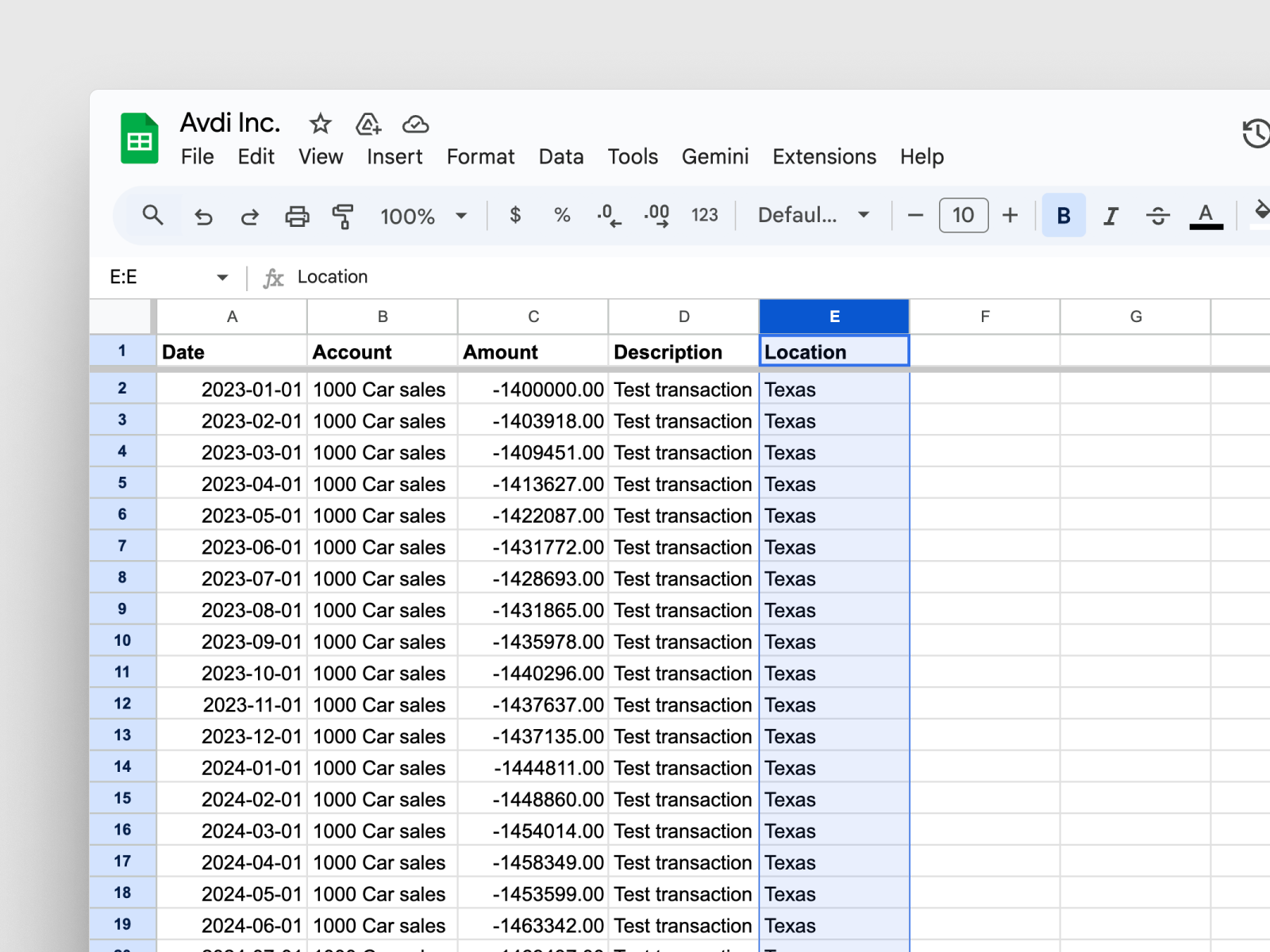
Our Google Sheets integration now supports dimensions. When you import transaction data, you can include departments, projects, regions, or other dimensions – bringing the same dimension-level detail you get from native integrations to any data source.
This is especially useful if you're importing data from an ERP we don't yet support natively. Your manual imports can now carry the same dimensional structure as automated connections.
How it works
Go to Settings → Integrations → Google Sheets and select Connect
Choose the Detailed entries template
Add dimension values in column E of your spreadsheet
If you leave column E empty, Francis imports the data without dimensions. You can also add dimensions to existing sheets retroactively by populating column E and triggering a manual sync from the integration settings.
Limitations
Google Sheets imports support one dimension per dataset. If you need multiple dimensions (e.g., both department and project on the same transactions), upvote this on our roadmap and we'll notify you when it's available.